
INT. YOUR DESK — DAY
Write a screenplay.
Get a film.
The screenplay is the interface. Write a scene and it becomes shots; storyboard the shots; generate every one — on your own GPU or through your own API keys — and cut the result on a real timeline, all in one desktop app. No account. No credits to buy. Nothing phones home.
Free and open source (Apache-2.0) · Windows & macOS · No account, no telemetry
ROLL FILM
The 54-second version
Screenplay in, film out — the whole pipeline in under a minute.
A NOTE BEFORE THE TITLES
This is an early beta. Really.
It works, and it is genuinely rough — parts of it have never run outside the two machines that built it. We would rather tell you everything below than have you find it out mid-project. That candour is the deal: you get the whole pipeline free and open, and you read six warnings first.
- Expect breakage. Features land fast. Things that worked last week may behave differently today.
- Back up your work. Do not point this at a project you cannot afford to lose. Export early, export often.
- It spends real money if you let it. Cloud generation bills your API keys. The app estimates cost before it spends and says “Price unknown” rather than guessing — but you are responsible for what you queue.
- Installers aren’t OS-trusted during the beta. Windows SmartScreen will warn you; macOS needs one trip through System Settings. Both are explained plainly on the download page.
- The built-in local engine is Windows + a 24 GB NVIDIA card only. On a Mac you can still generate on your own machine by pointing the app at a local ComfyUI install, or use cloud providers with your own keys. Native Apple Silicon generation is being ported from upstream.
- No support guarantees. Reports are very welcome; response times are not promised.
Still reading? Then you are exactly who this beta is for — the kind of person who reads the warnings and downloads anyway. Tell us what breaks.
THE THROUGH-LINE
Script, shots, storyboard, and edit stay linked the whole way
Hover a clip on the timeline and its script line lights up. Click it and the editor jumps there. Generate coverage and it stacks as another angle on the same moment — nothing detaches from the script that made it. Change a word, and everything downstream knows.
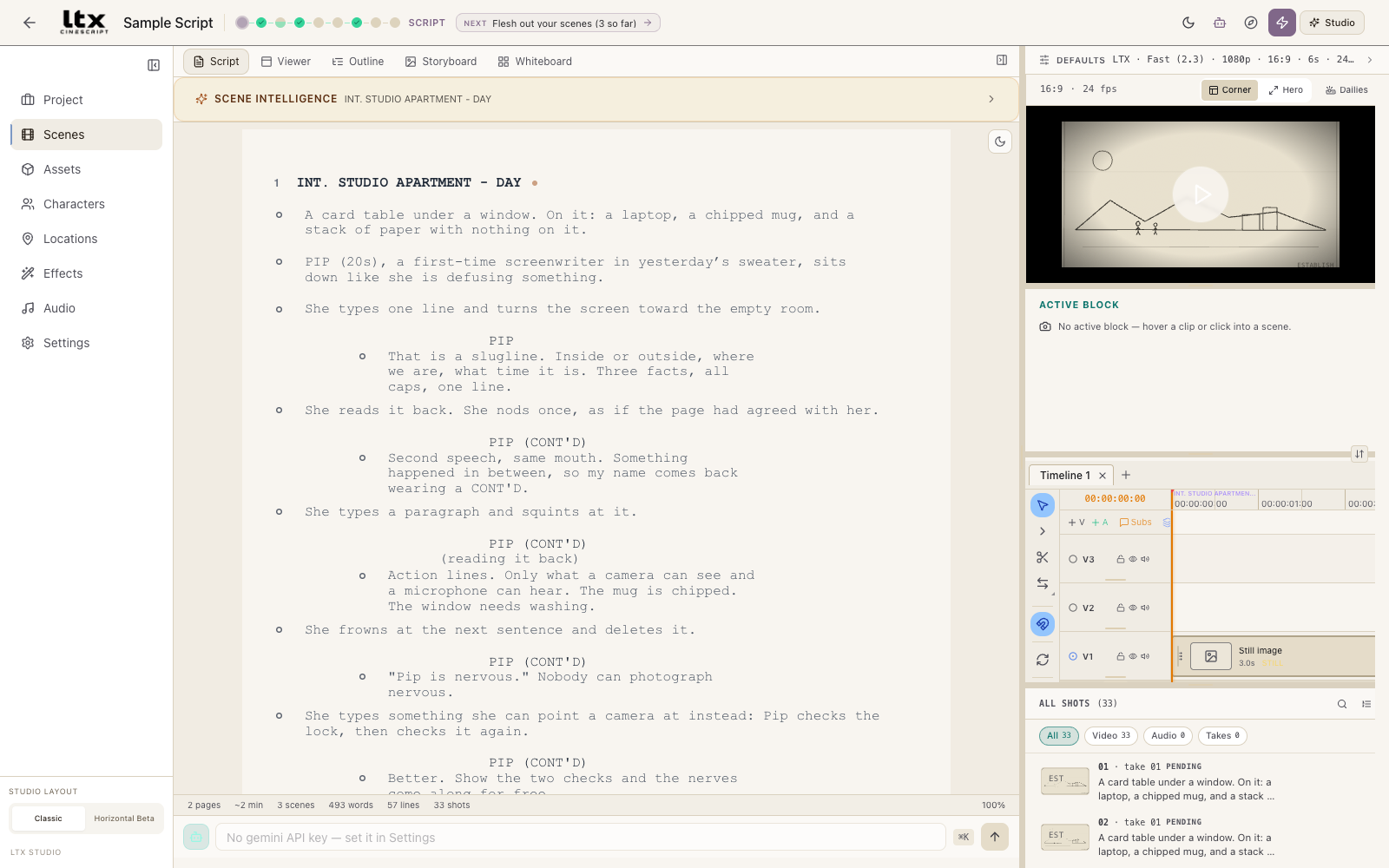
Screenplay-first
A Fountain-compatible script editor where lines become
shots. Sluglines, cues, parentheticals, and transitions
format as you type. Characters and locations are first-class
entities with reference imagery; drafts have history and compare;
.fountain imports and exports.
New to screenplays? The bundled sample script is a short two-hander that teaches the format by being one.
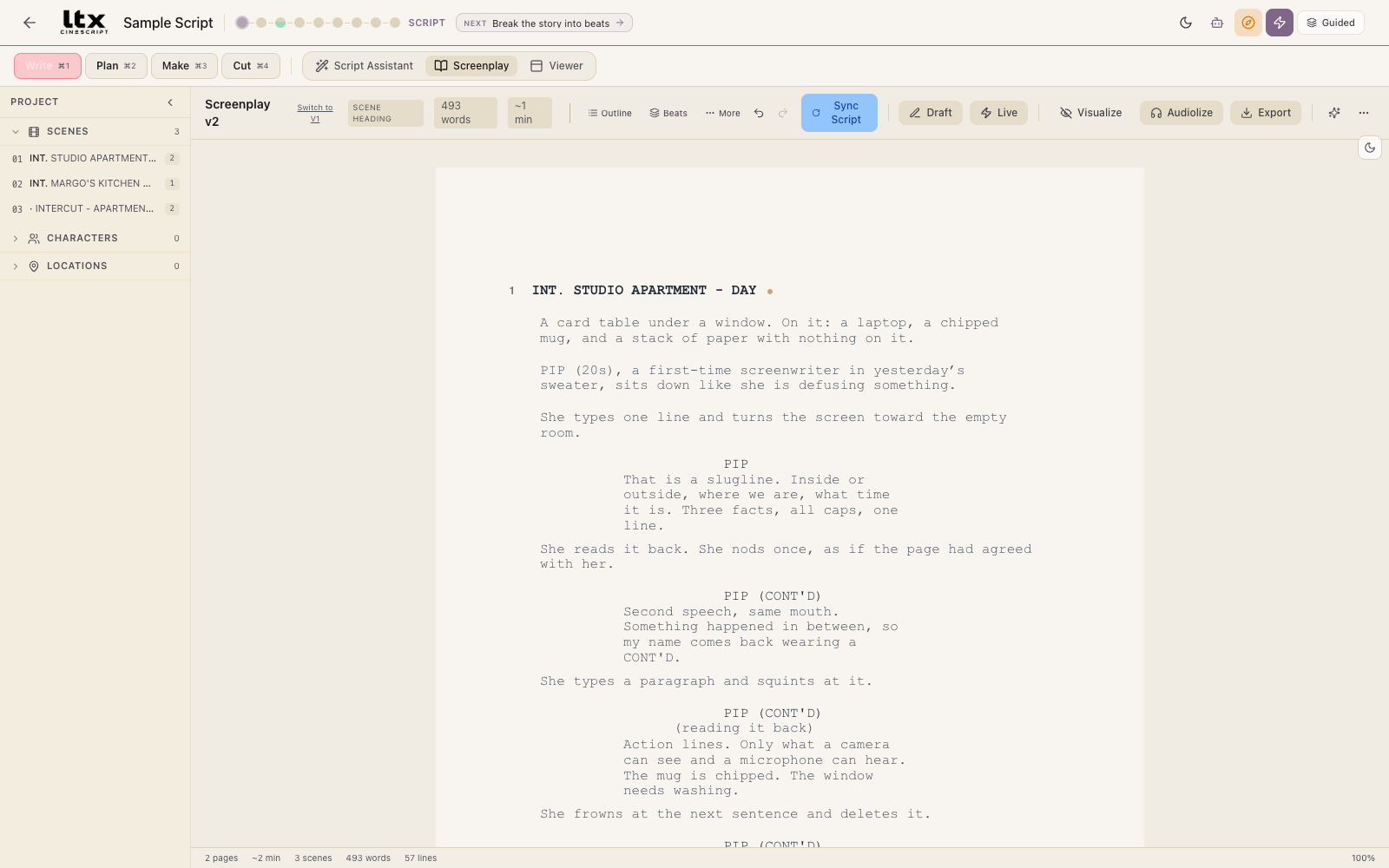
One click to a shot list
The script breaks into shots — each with a frame type, a camera move, a duration, and a cost estimate before anything is generated. The sketches are the app’s own placeholders for a shot type, not model output.
Storyboard each shot as a still and approve the look before spending on video.

Local GPU or cloud, your choice
Local: LTX-2.3 running entirely on your machine — your GPU, your disk, no per-generation cost. Windows with a 24 GB NVIDIA card only, and the model download is large (~76 GB); the app shows you the size before you commit.
Cloud: bring your own API keys for LTX, fal-hosted models (Kling, MiniMax, Seedance, Pika and others), Google Veo, Runway, Luma, Gemini, and OpenAI. The app estimates cost before you spend, and says “Price unknown” when it can’t verify a rate rather than guessing.
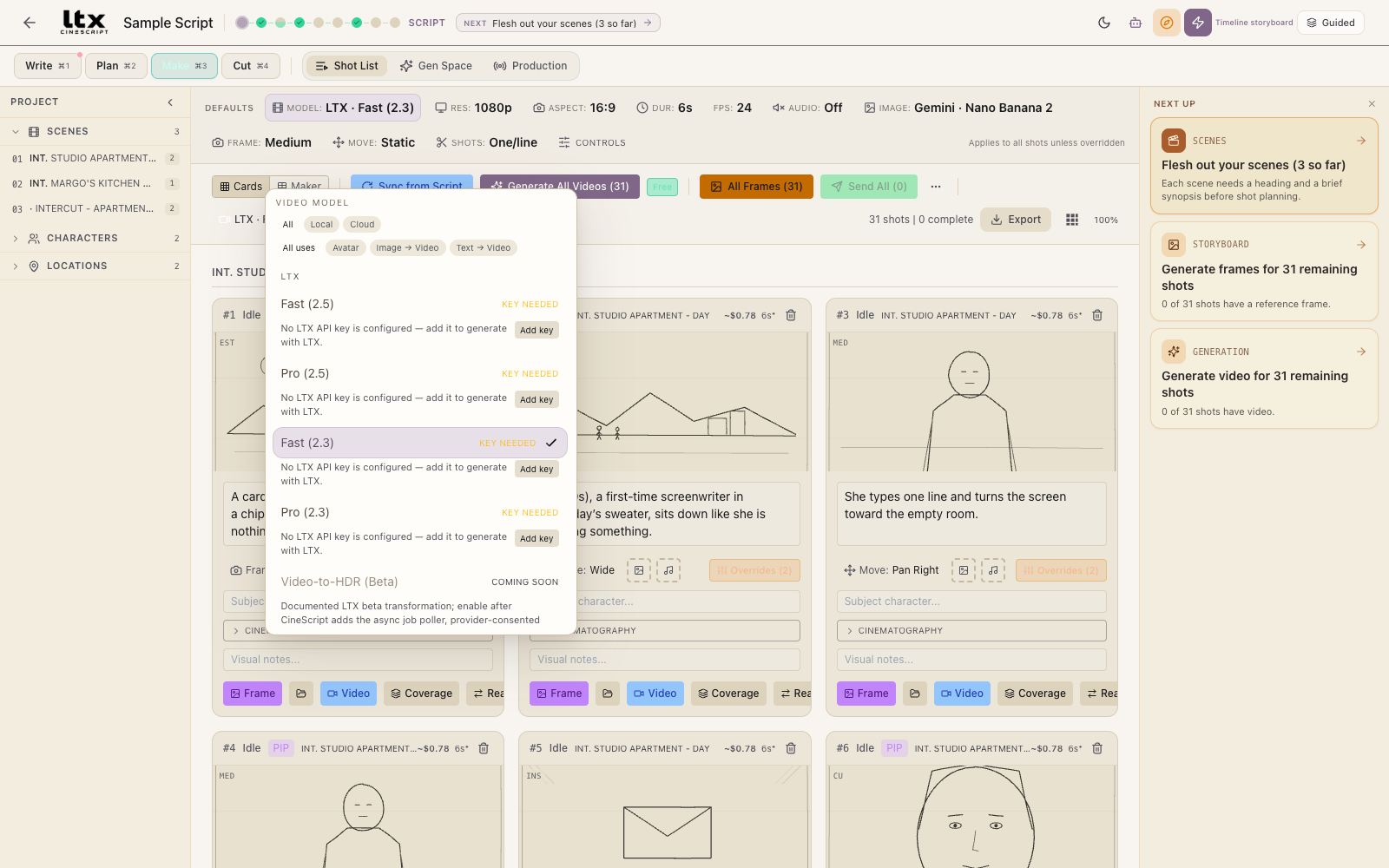
A real timeline
Multi-track video and audio, takes, retakes, transitions, and export to H.264 / ProRes / VP9. The cut exists before a single frame does — every shot the script produced is already on the timeline, in order, grouped by scene.
Cut here, finish elsewhere: the timeline exports to Final Cut XML and FCP7 XML for Resolve and Premiere — the right format picked from the app you name — and an edit can come back the other way.
Takes and coverage, honestly labeled
Takes (another attempt at a shot) and coverage (another angle on the same moment) share one scrubber. It reports what it knows and nothing more — an alternative that hasn’t been generated says exactly that.
There’s also an in-app AI agent that can operate the studio with you — draft scenes, build shot lists, queue generations. Anything that spends money waits for your approval.

WHAT LEAVES YOUR MACHINE
No telemetry. No account. Your keys stay yours.
- No telemetry is collected or sent. The analytics pipeline in this fork is a deliberate no-op regardless of the Settings toggle — documented in TELEMETRY.md, down to every request the app can make on its own.
- Local generation never uploads your media. Cloud generation shows a native consent dialog naming the exact provider and the exact files before anything leaves the machine.
- API keys are encrypted at rest with the OS keystore (macOS Keychain / Windows DPAPI) and sent only to the provider you configured.
- This site follows the same rules: no analytics, no cookies, no third-party requests, no JavaScript.